mcfunctions
Mcfunctions is a language used for Minecraft in this use case bedrock it is the language used for command blocks and here we go over functions. Functions are used for automating commands used in command blocks in other words a command block sequence in one file they are ran with the /function command they are similar to batch files as batch runs windows commands in a sequence in a script file below we will go over how to use this cool feature.
EXAMPLE:
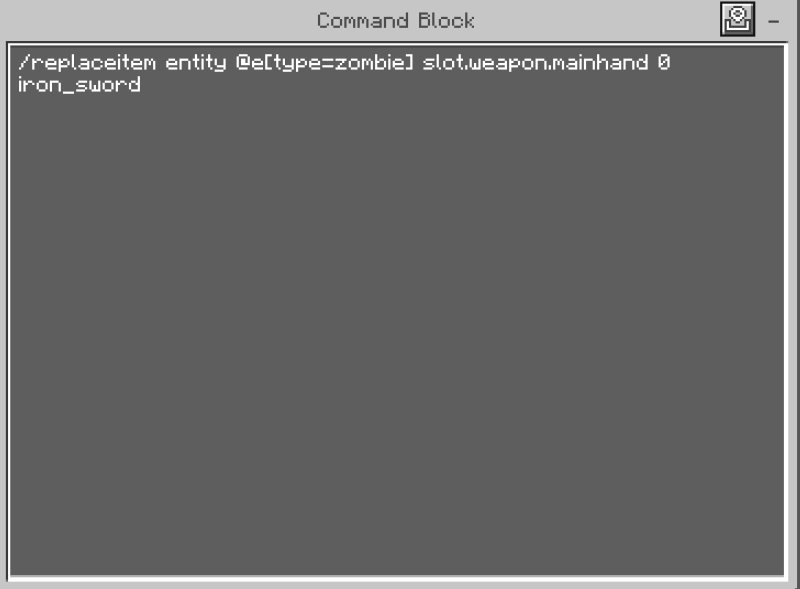
structure of a command block
command blocks have stuff such as conditionals similar to if statements

Obtaining a command block
this is how you obtain a command block

Command block vs a function file

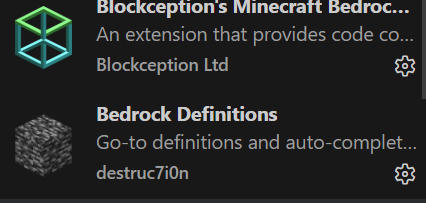
useful extensions
for coding function files in vs code use these extensions
examples of some commands
here are some of the commands used in minecraft shown in the syntax of a function file
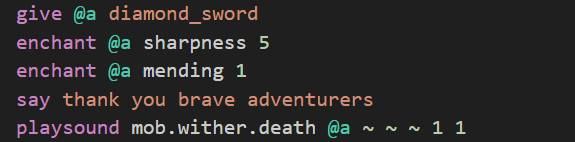
example of a function file (in a archive file)
What to do after making your function
find your game files (bedrock) and look for a folder called developmentbehaviorpacks in that folder creator another folder that is the name of your behavior pack go into that folder and create a new file called "manifest" with the file extension".json"and put the json code below in it as well as create a folder with the exact name "functions" all lowercase in that folder beside the functions folder, next create a folder in the file called "functions" called "quest" in that folder put your function file at last you launch your game and activate your behavior pack
Question: What does the command /replaceitem entity @e[type=zombie] slot.weapon.mainhand 0 iron_sword do